 IncomeFlow
Track freelance and gig income in one place.
Log every payment by client, see what you earned each month, and have clean records ready when tax season comes. No spreadsheet needed.
Sound familiar?
I got paid by four clients this month and I honestly can't say how much came in.
Tax time is coming and my income is spread across bank texts, invoices and a half-finished spreadsheet.
Some months are great, some are empty, and I can't see the pattern.
I need to know which clients are actually worth my time.
What IncomeFlow does
Income first, expenses too
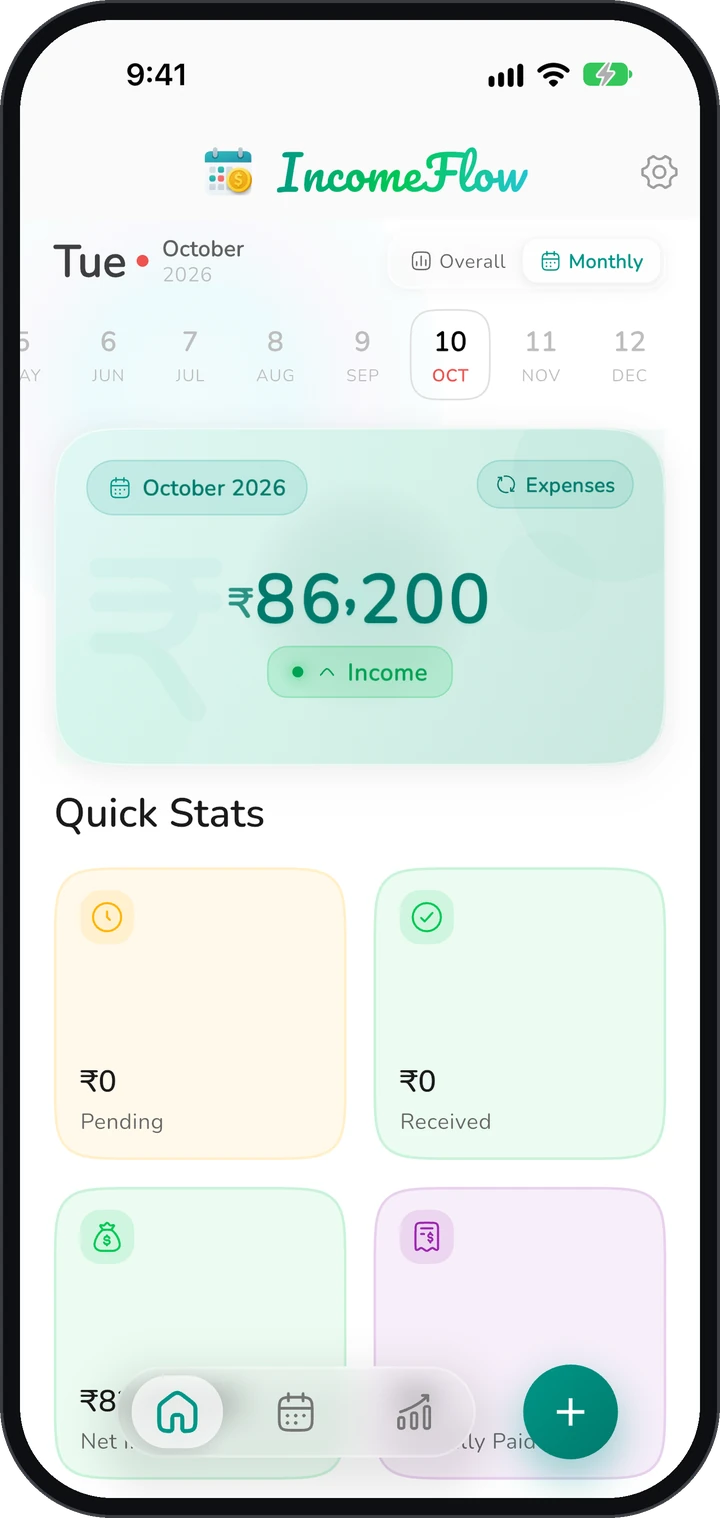
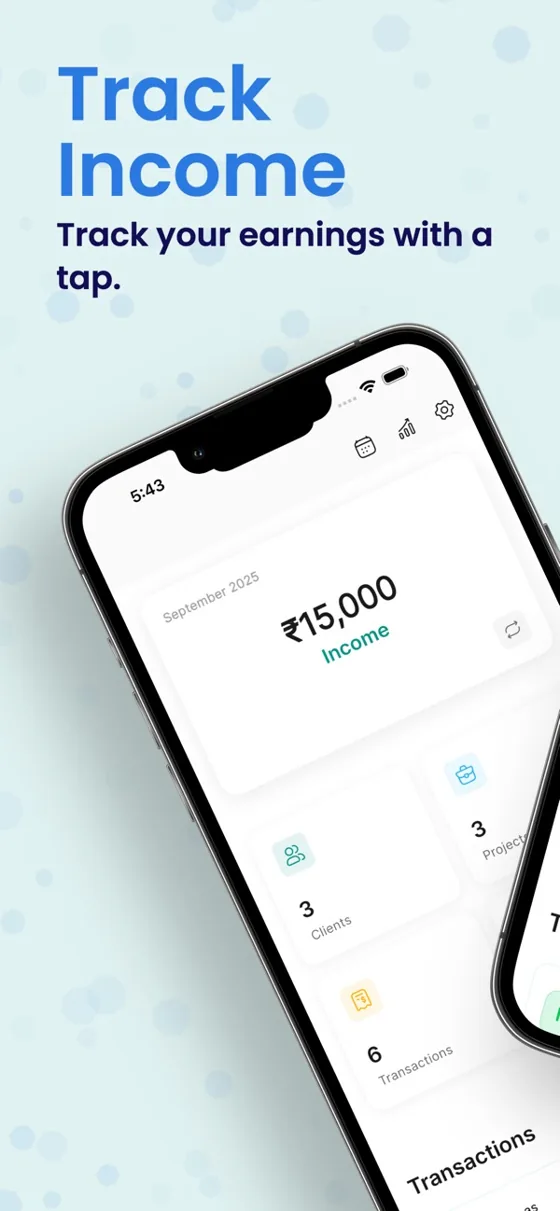
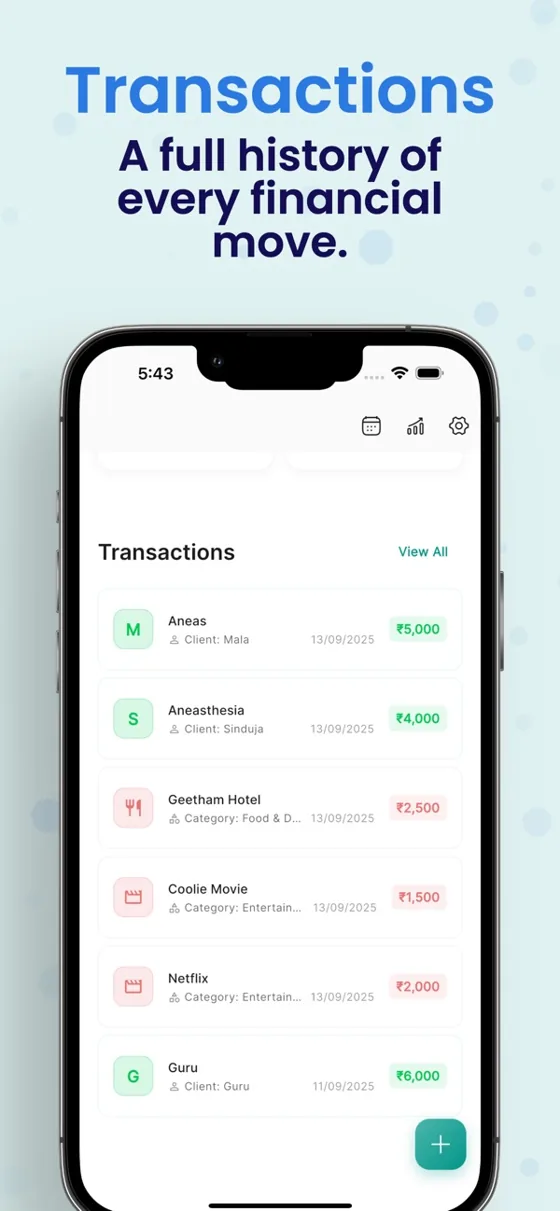
Add a payment in a few taps with the amount, client, category and date. Log expenses the same way to see your net income.
Clients and projects
Keep a profile for each client, with their payments and totals, so you know who pays you and how much.
Calendar view
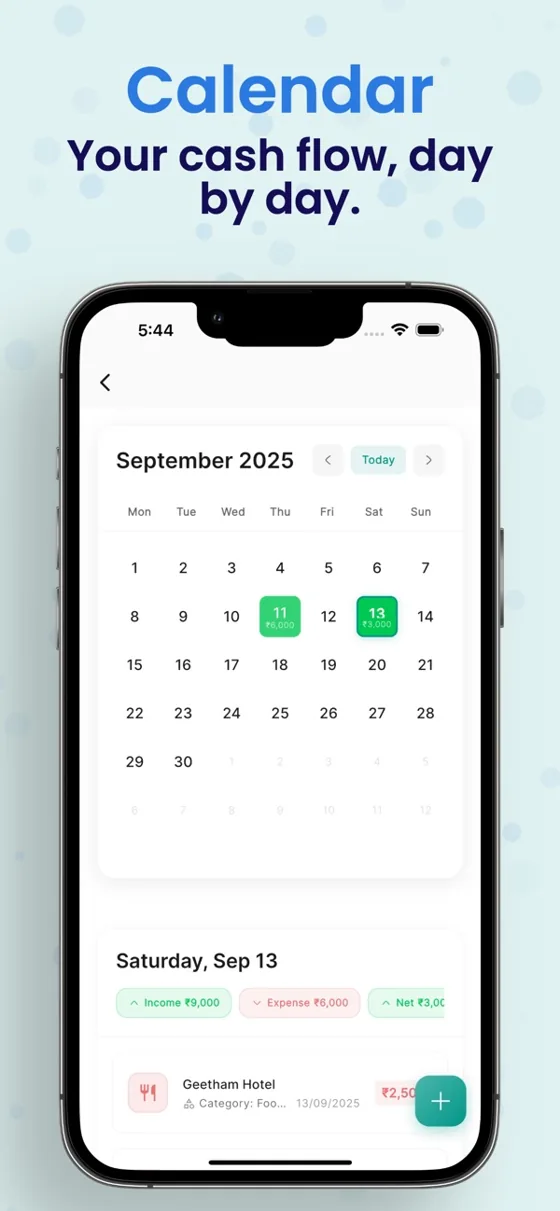
See which days money came in and open any day to see its transactions.
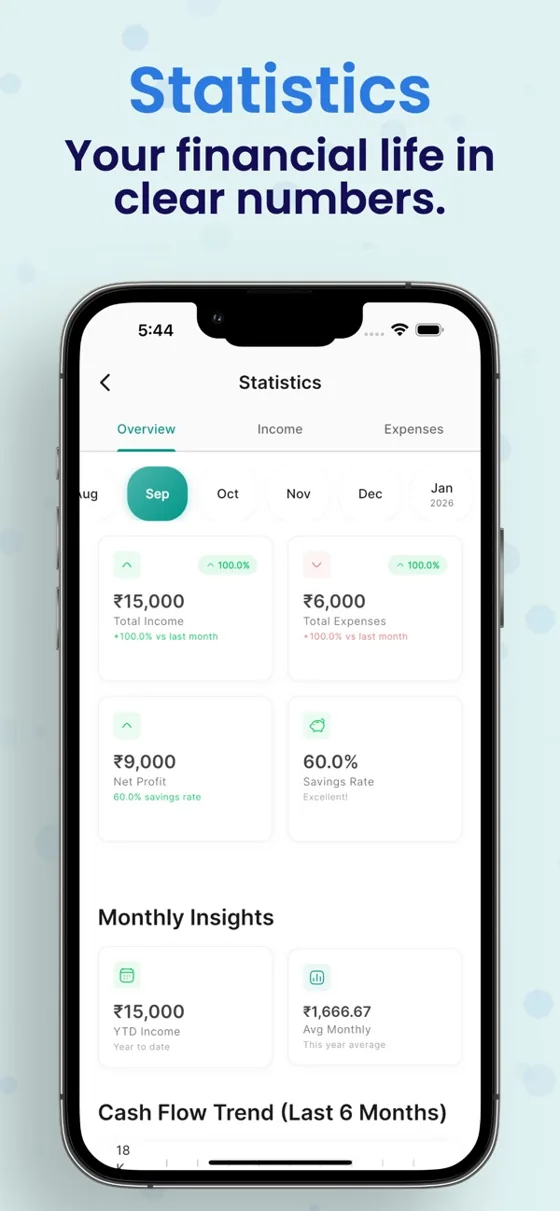
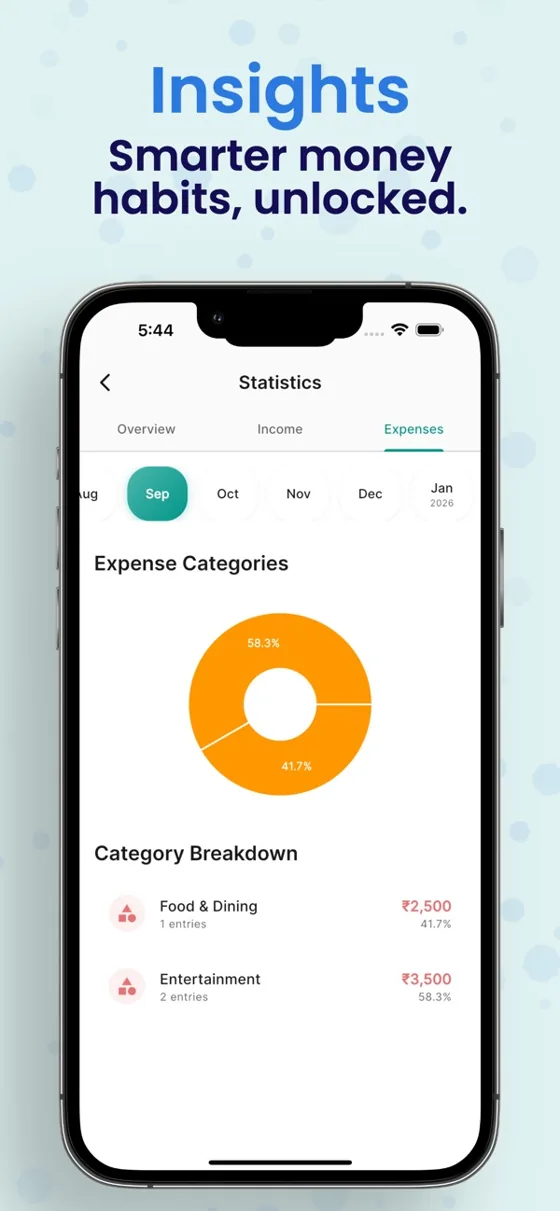
Statistics and insights
Monthly income and expense totals, category breakdowns and cash flow trends, so slow months stand out.
Excel and PDF reports
Export your records for tax season, your accountant or a business review.
Your currency, works offline
Track in rupees, dollars, euros, pounds and more. Add income with no internet connection.
Your income, finally in one place
Calendar view
See which days money came in, and open any day for its payments.
October 2026
MTWTFSS12345678910111213141516171819202122232425262728293031Income activity
Darker dots mean busier income days, so slow weeks stand out.
Income activity
High
Status
Received and still pending.
Received₹7,495Pending₹2,000₹9,495
Total income
Net this month
Income minus expenses.
₹9,195
Net income
Expenses
₹300
Income
₹9.4k
Excel and PDF reports
Export for tax season or your accountant.
Exported as Excel and PDF
Clients and projects
A profile for each client with their payments and totals.
GAU+5
Straight from the App Store
Real reviews from the Play Store
- ★★★★★
“I have searched and used a lot of apps but this one is the smoothest and the best part is its free and have no ads, also i would like to suggest them to add pkr to this app, as Pakistani i am tracking my income and expense in indian rupees, so please also add pkr. overall the app is very good and easy to use, thanks.”
Sahal J.
Google Play review · May 2026
How it works
Add your clients
Create a client for each person or company that pays you, and pick your currency.
Log each payment
Enter the amount, client and category when you get paid. On Android you can also let IncomeFlow pick up bank texts.
Review and export
Check the calendar and charts each month, then export a report when you need one.
No account needed, your records stay on your phone
Your income and expense records are stored on your device and work offline. There is no sign-up. Backup to Google Drive is optional, and the app only touches the backup file it creates.
Free guides
Free tools
- Freelance hourly rate calculatorEnter the yearly income you want, your expenses, billable hours and tax estimate to get your minimum hourly rate and day rate. USD, INR, EUR and GBP.
- Freelance tax set-aside calculatorEnter a payment and a percentage to see how much to put aside for tax and how much you can spend. A planning estimate with links to official IRS and India tax pages.
Questions
Who is IncomeFlow for?
Freelancers, gig workers and independent professionals such as doctors or consultants who get paid by several clients or platforms.
Is IncomeFlow free?
It is free to download. Some features, such as advanced statistics, Google Drive backup, data export and unlimited clients, are part of a paid Pro plan.
Do I need an account?
No. You can start tracking right away. Signing in with Google is only used if you turn on Google Drive backup.
Does it work offline?
Yes. Your records are stored on the phone, so you can add income with no connection.
Can I export my data?
Yes, to Excel or PDF, which helps at tax time. Export is a Pro feature.
Does it replace invoicing software or an accountant?
No. IncomeFlow tracks what you earn and spend. It does not send invoices or give tax advice.
Know what you earned, before tax season asks.
Download IncomeFlow free on Android and iPhone.